ESTalk to our team

AI agents, MCP servers and software that keeps running under load, plugged into the CRM, ERP and documents you already use. Your operation stops depending on people moving data between tools.

  • AI agents
  • MCP servers
  • Internal RAG
  • LLMs and local models
  • Task automation
  • Assistants
  • Machine learning
  • Deep learning
  • Your CRM
  • Your ERP
  • Your documents
  • Your internal tools
  • Your product
  • Your data warehouse
  • Your inbox
  • Your approvals

The parts of your business already exist.

They just don’t engage. So people carry the work from one to the next.

We make them engage. Then the whole machine turns on one input.

Drag it, or use the arrow keys. Every ratio is real.

SalesInventoryFinanceCustomersTeam

AI that works inside your operation

Six things we build for companies. Each one connects to the systems your team already uses, and each one has a person, a test and a boundary around it.

Agent run
  1. Read the order from the CRMcrm.read
  2. Check stock in the ERPerp.read
  3. Draft the customer replydraft
  4. Issue the credit noteWaits for a person
Sample data

AI agents

Agents that read the order, check the stock, draft the reply and stop for approval before anything irreversible happens.

Fewer hand-offs between your CRM, ERP and inbox, with a log of every step.
  • CRM
  • ERP
  • Email
  • Tickets
How it works
MCP server for your product
  • orders.searchread
  • customers.getread
  • invoice.draftwrite
  • invoice.issueapproval

Key scope decides what each agent may call. Every call is logged.

Sample data

MCP servers for your product

Give Claude, ChatGPT or any MCP client a safe door into your product, with scoped keys that decide what each agent may do.

Your product becomes something your customers’ agents can operate.

  • Scoped keys
  • Audit log
  • Your API
How it works
Internal assistant

What is our return window for B2B orders?

30 days from delivery, with a note from the account owner.

  • Sales policy, section 4
  • Contract template B2B
Only documents you may read
Sample data

Internal RAG

Your team asks in plain language and gets answers from your own contracts, policies and wikis, with the source one click away.

Questions stop landing on the same three people.

  • Documents
  • Wikis
  • Permissions
How it works
Model routing
  • Customer contractsLocal model, your servers
  • Support repliesLLM provider
  • Bulk classificationSmaller model
Sample data

LLMs and local models

Connect to LLM providers or run models on your own servers, chosen per task by cost, quality and where the data may go.

Sensitive data stays where it must, and no single vendor owns your workflow.

  • Providers
  • Local models
  • Routing
How it works
Approval flow
Sample data

Task automation

The repetitive work that crosses tools: intake, sorting, data entry, follow-ups. Rules where rules will do, AI where judgment is needed.

Hours back on work nobody chose to be good at.

  • Forms
  • Inbox
  • Workflows
How it works
Assistant over your data

Which orders haven’t moved in over three days?

I found 6. Four are waiting on purchasing and two need a billing detail.

  • Order log
  • Purchasing inbox
Ask your data
Sample data

Assistants

Assistants for your staff or your customers, inside the tools they already open, that cite what they say and ask before they act.

Answers where the work happens, under rules you set.

  • Staff
  • Customers
  • Your app
How it works

It plugs into what you already run.

We don’t ask you to replace your stack. We connect to it through APIs, MCP servers and queues, with retries and alerts, and we start with the systems where the work gets stuck.

Don’t take our word for it. See it running.

Products we build and run, with AI in the variant each one needs. Screens are real, data is demo data, and we’ll show you any of them.

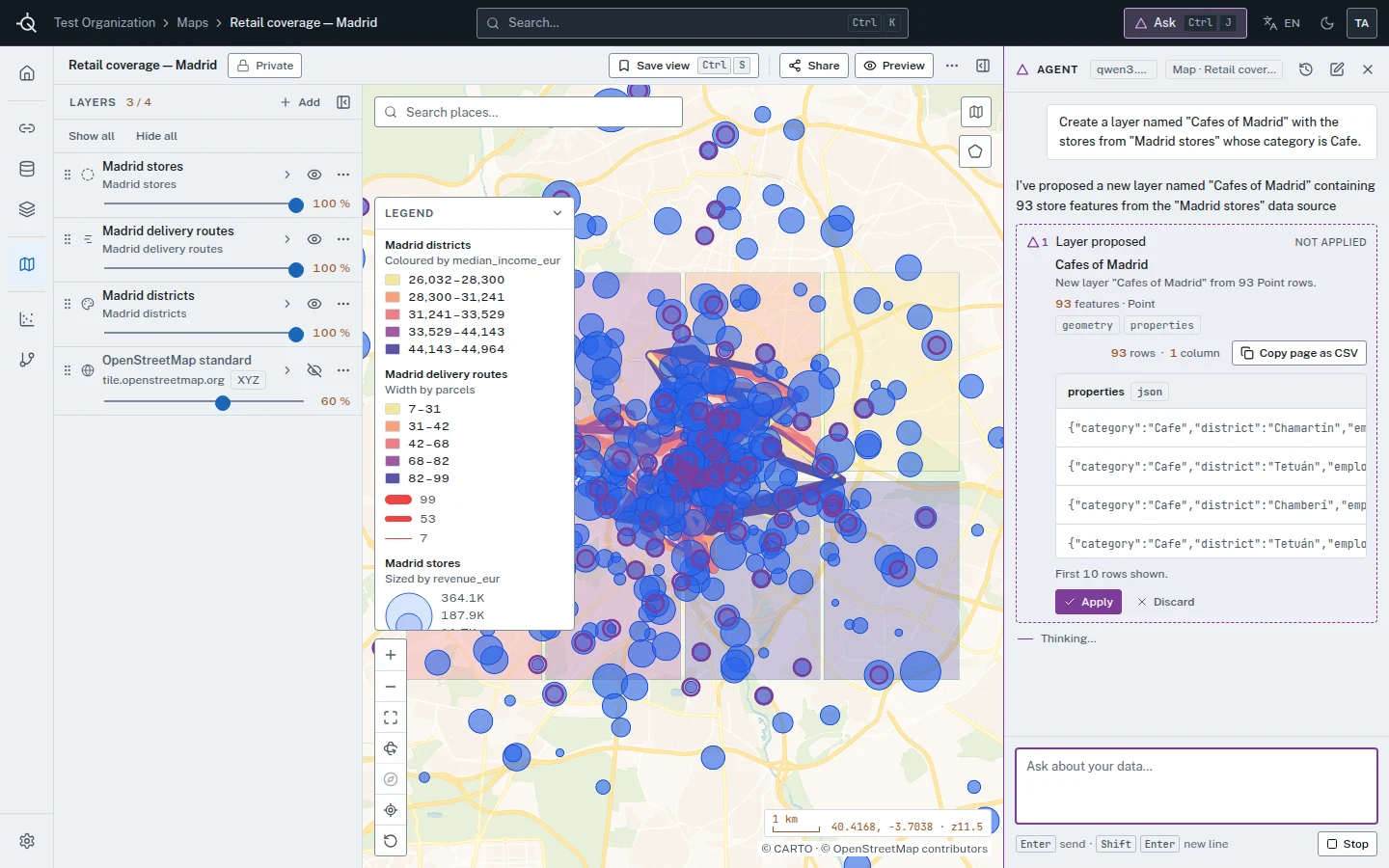
  • Quorik’s map of retail coverage in Madrid, with the agent proposing a new layer that waits to be applied. Demo data.
    Built by us

    Quorik: an agent you approve

    A 16-tool agent works on real layers and maps. Every change is a proposal a person applies or discards.

    See it
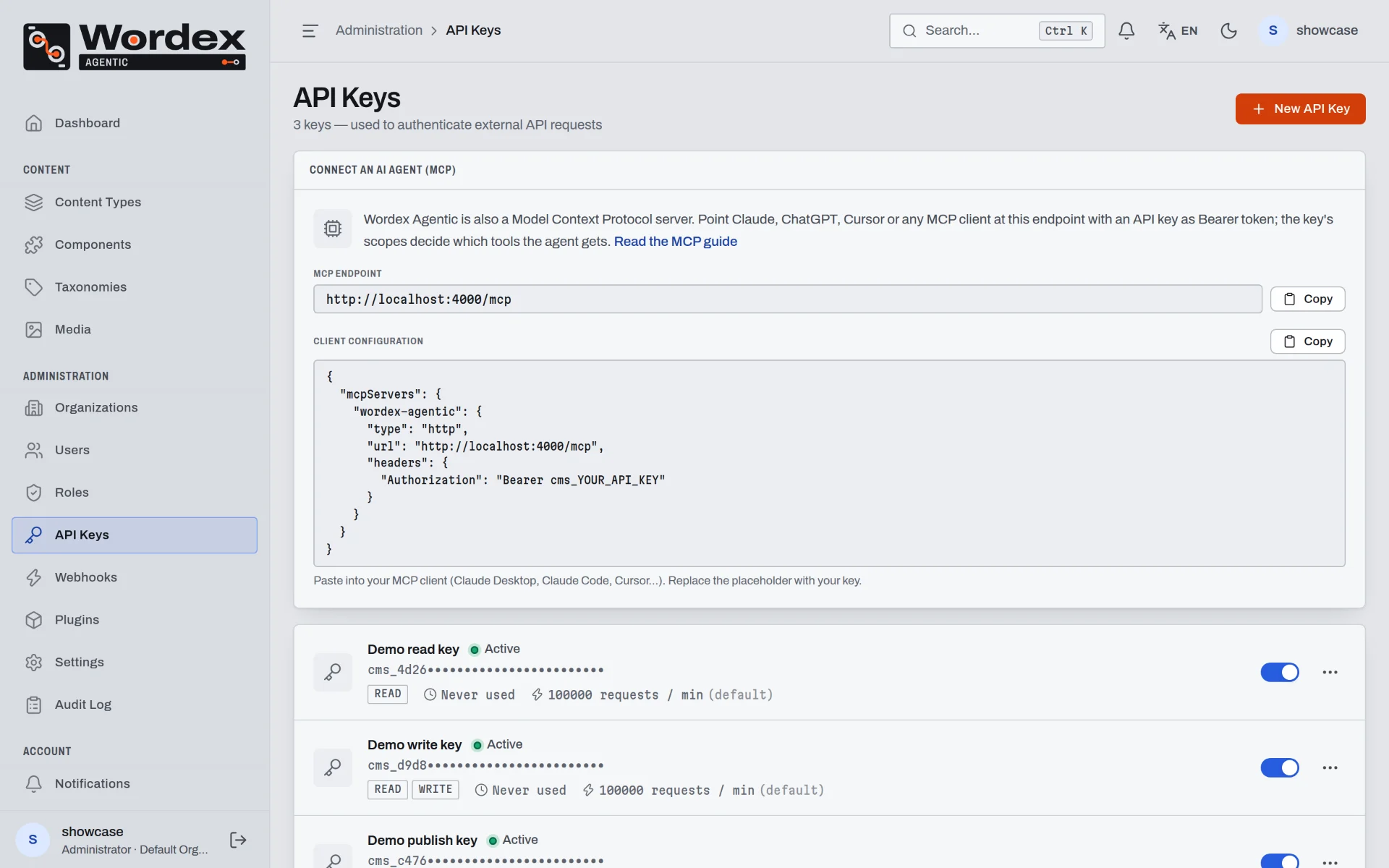
  • The Wordex Agentic admin on the API Keys screen, with the MCP endpoint and a client configuration. Local demo data.
    Built by us

    Wordex Agentic: a CMS run over MCP

    Point any MCP client at it with an API key. The key’s scope decides what the agent may do.

    See it
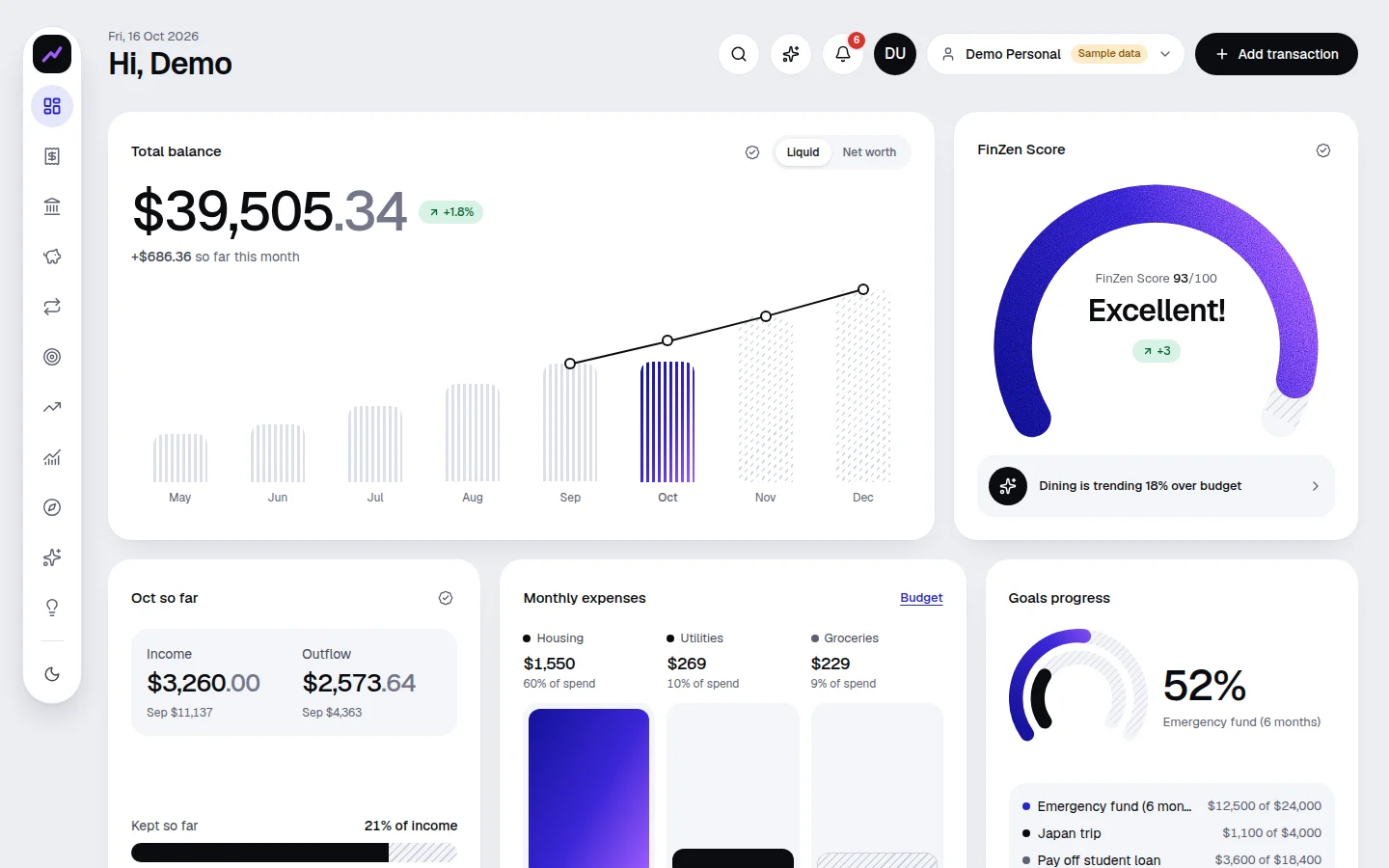
  • The FinZen web dashboard with sample data: balance, monthly chart, expenses and goals.
    Built by us

    FinZen: a copilot that shows its numbers

    It cites the figures behind each answer and asks for approval before it acts.

    See it
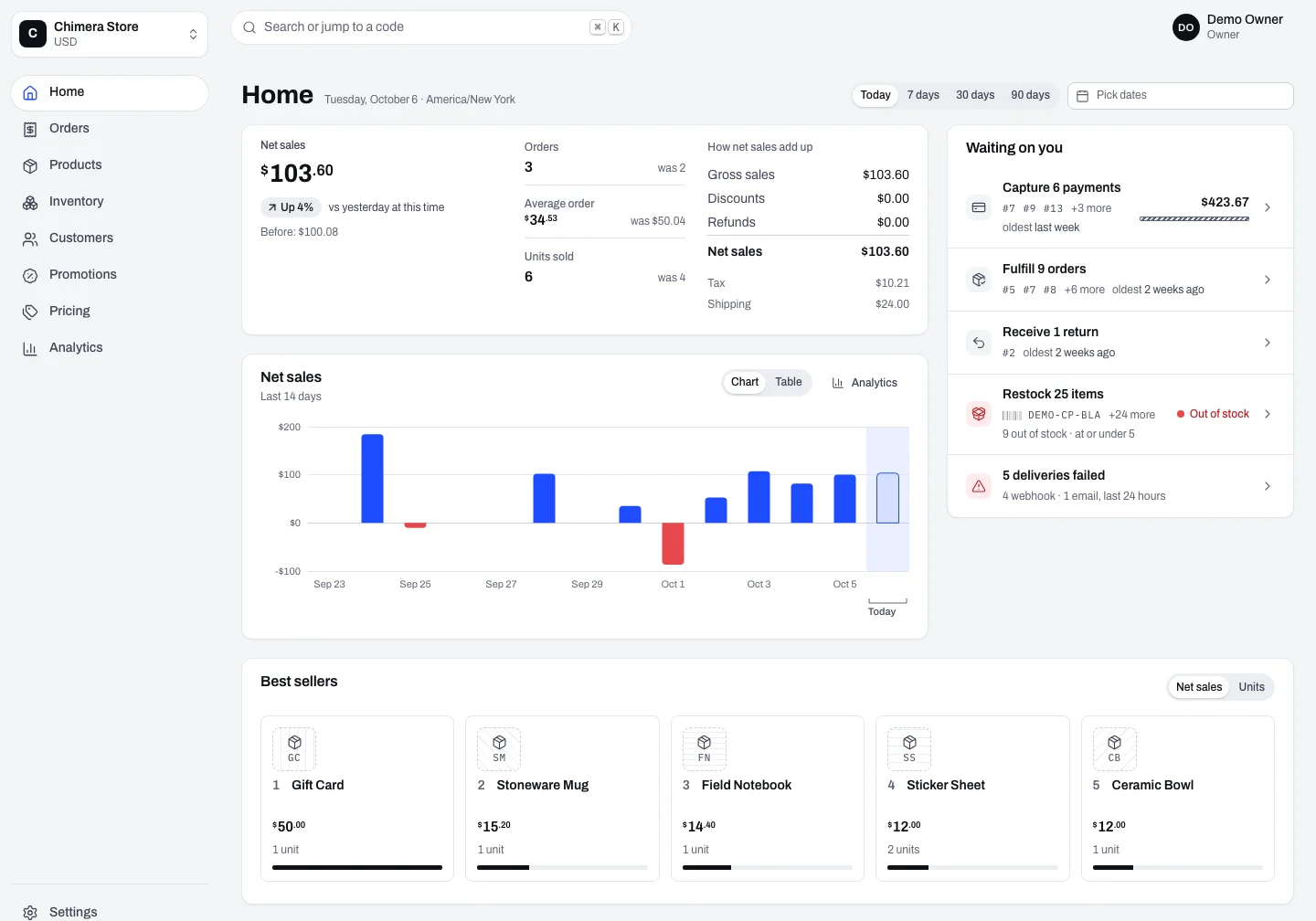
  • The Chimera admin home for a demo store, with net sales and what is waiting on the team. Demo data.
    Built by us

    Chimera: commerce agents can buy through

    An MCP server and an agent checkout, with stock and money that stay correct when orders collide.

    See it
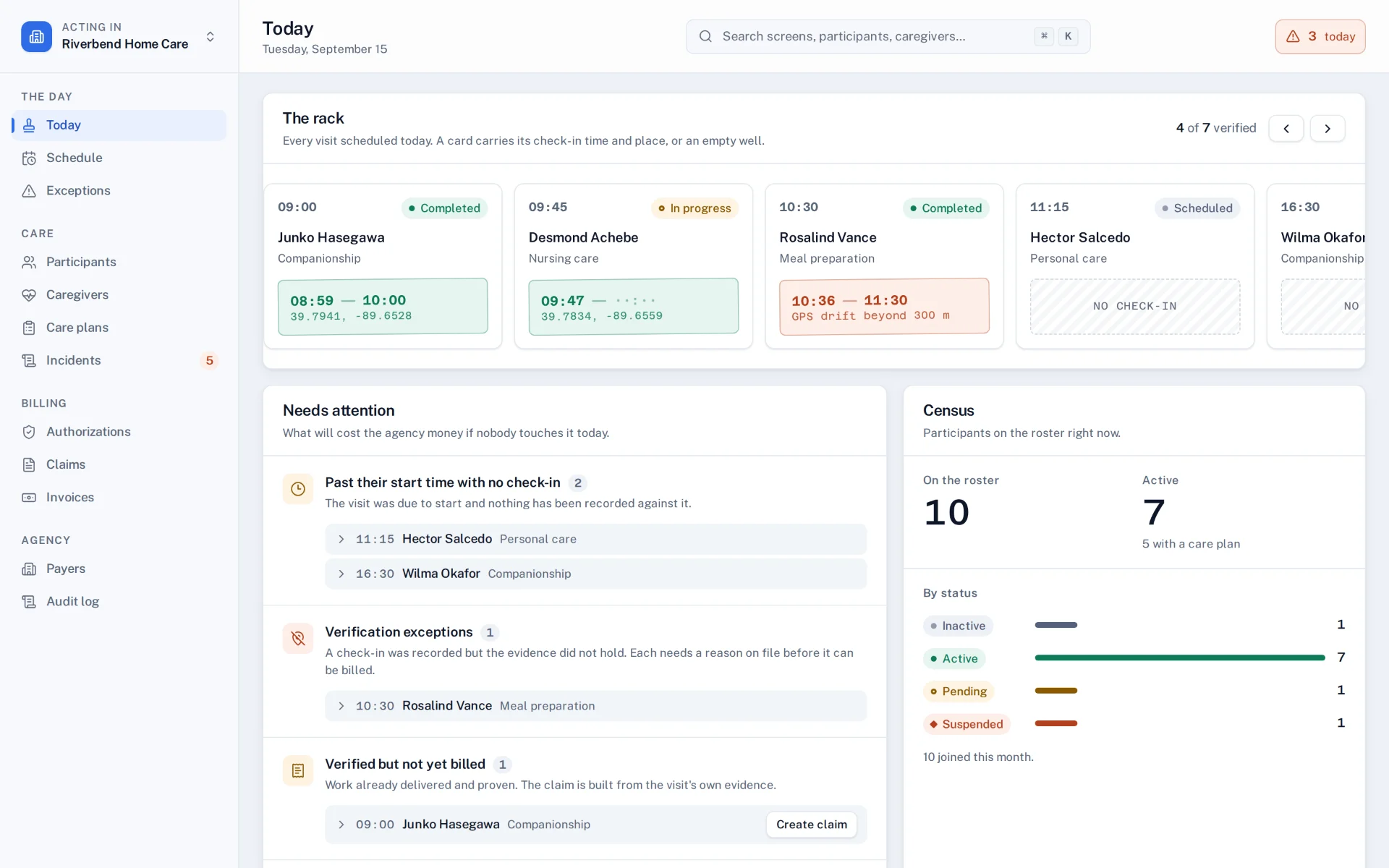
  • The ElderCare Today screen for an invented agency, with the day’s visits and what needs attention.
    Built by us

    ElderCare: a read-only assistant

    An assistant over MCP that reads records and never changes them, because this data calls for it.

    See it
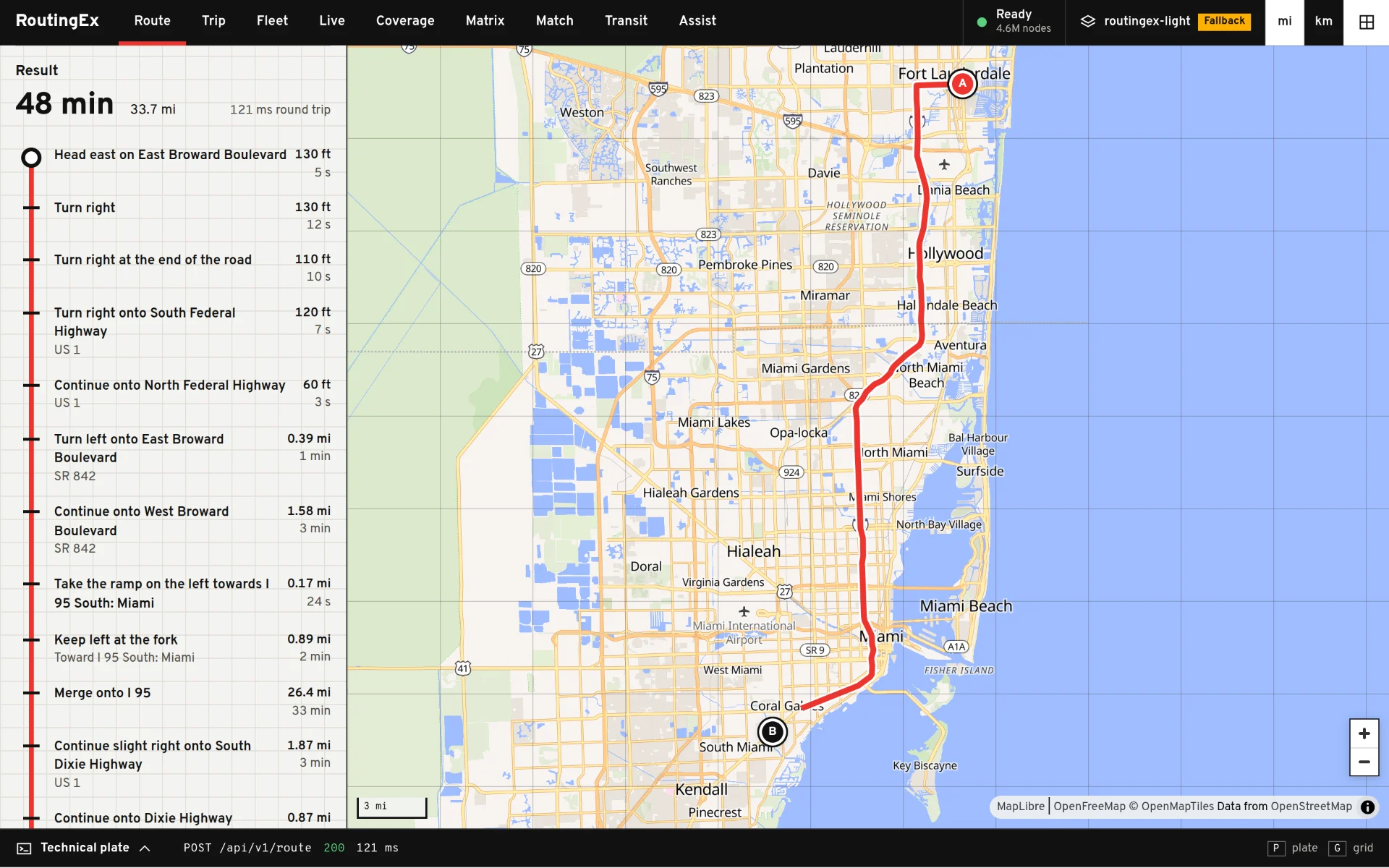
  • The RoutingEx web client with a route from Fort Lauderdale to Coral Gables. © OpenStreetMap contributors.
    Built by us

    RoutingEx: routing an agent can ask

    A routing engine you run yourself, with an MCP server and an AI assistant built in.

    See it
1 of 6Drag, or use the arrow keys

How we get it turning

  1. We walk through what’s broken, what systems exist and what a good result looks like. When scope is unclear, the first deliverable is a short technical assessment.

  2. Before building, we write down what right means for this task, the cases it will be tested on, and where a person decides.

  3. Increments small enough to review alone, each with the tests that prove it. Risk shows up early, while it’s still cheap.

  4. Monitoring, evaluation and fallbacks stay on after launch, so you see drift before your customers do.

See how we work

We start where AI meets your real systems: permissions, failures, the data as it is. The team behind CountlinkX has worked in software since 2008, building platforms that have to stay up.

Illustrative image: three people working around a laptop in a dark office.
Illustrative image
  • You see it before you buy it

    We show working software, not slides. Ask for a demo of anything on this site.

  • Built to keep running

    Highly concurrent, fault-tolerant software on Elixir and the BEAM, with Rust where speed matters.

  • A person where it matters

    Agents propose, people approve. You decide where that line sits.

What buyers ask first

Ask us something else

Do we have to replace our systems?

No. We connect to what you run: CRM, ERP, document stores, internal tools. Replacing a system only comes up if it’s the actual obstacle, and we’ll say so.

Will our data train someone else’s model?

You decide where data goes. We can use providers under their business terms, or run local models on your own servers when the data must not leave.

How do you stop an agent making a costly mistake?

Scoped tool access, a person approving irreversible actions, a log of every step, and an evaluation set that must pass before a change ships.

Where do we start?

One process that hurts. In a working session we’ll tell you whether it’s a good candidate, and what the first step would be. If a simple script would do, we’ll say that too.

Can we see something working first?

Yes. We give demos on request using the products and materials we built.

Which part of your business isn’t turning?

Tell us the process and the systems it runs through. We’ll tell you plainly what we’d connect first.

Tell us about the process